Group paint colors into named palettes and send the whole scheme to Studio to see it on your home. Or answer a few quick questions and we’ll match palettes to you.
Matched to you
Take the color quiz and your Color Lab fills with palettes built for your style, light, and the colors you actually like.
Drag the slider. This is the part that makes the decision easy.
BeforeAfter
‹ ›
Exterior Painting · Sherwin-Williams
BodyExtra WhiteTrimUrbane BronzeAccentRosemary
Drag the slider · tap a photo below to load it
The comparison
Four ways to pick a color. One that actually works.
Only Paint Color Labs shows real, buyable colors on your real home, across every major brand.
Store samplesBrand toolChatGPTPaint Color LabsChips and sample pots, one wall at a time.A rough preview, locked to one brand.Invents a color with no real code to buy.Real colors, your photo, every brand.Real, buyable color codes✓✓✗✓Shown accurately on your home✗✗✗✓Compare across all brands✗✗✗✓An answer in seconds, not a weekend✗✓✓✓
Store samplesChips and sample pots, one wall at a time.
✓Real, buyable color codes
✗Shown accurately on your home
✗Compare across all brands
✗An answer in seconds, not a weekend
Brand toolA rough preview, locked to one brand.
✓Real, buyable color codes
✗Shown accurately on your home
✗Compare across all brands
✓An answer in seconds, not a weekend
ChatGPTInvents a color with no real code to buy.
✗Real, buyable color codes
✗Shown accurately on your home
✗Compare across all brands
✓An answer in seconds, not a weekend
Paint Color LabsReal colors, your photo, every brand.
✓Real, buyable color codes
✓Shown accurately on your home
✓Compare across all brands
✓An answer in seconds, not a weekend
“From the founder
We used to charge for this.
When I was running a painting company, the hardest part for our customers was usually choosing the color. There are thousands of options, and it’s easy to get overwhelmed.
Our fix was free samples, painted right on the house. We capped it at ten colors. It helped, but ten was still too many choices, and I could tell most customers never felt 100% confident in the pick. How could they? A painted patch is genuinely useful for two things: watching a color change through the day and reading its undertones in person. What it can’t do is show you the whole project.
Paint Color Labs shows you the whole project. The render comes very close to the finished look, so you can test as many variations as you want on your own home, then buy one or two samples to confirm.
Save yourself the time, the anxiety, and the cost by getting the color right.
It’s the tool I wish I had for my customers. Now it’s yours.
Frequently asked questions
Good to know.
What if I still pick the wrong color?
That’s what this is for. A wrong color means repainting, and repainting means paying for materials again plus the labor a second time. Seeing the color on your own walls first is how you catch “that’s not what I pictured” while it still costs nothing to change.
Why not just buy samples and skip this?
Because samples confirm a color, they don’t help you find one. Narrow it down on a photo of your actual room, then buy samples for the finalists. Fewer store trips, fewer half-used samples, and you see the whole scheme at once.
How accurate is it, really?
Good enough to decide with. It’s a real generation of your home from your photo, keeping your light and your surfaces, with colors from real manufacturer data. Use it to narrow thousands of options down to your top two, then put real samples on the wall before you buy gallons.
Will it actually look like my house?
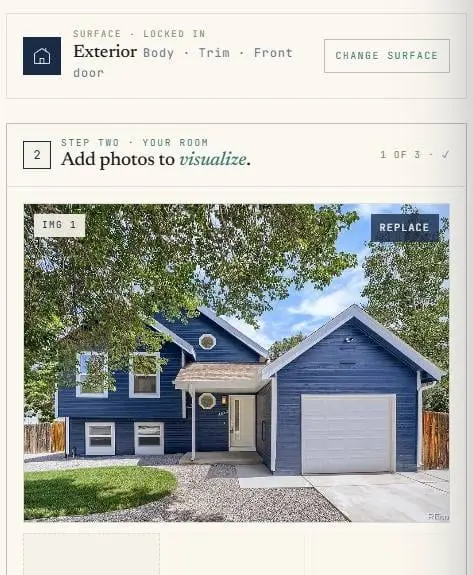
Yes. It’s your photo, so it’s your rooms, your siding, your light, not a showroom or a template. Not always 100 percent, but far closer to your reality than a chip held under store lighting.
What can it paint?
A lot more than walls. Inside: walls, trim, accent walls, ceilings, cabinets, wainscoting, built-ins, and railings. Outside: body, trim, accent, doors, shutters, and brick. It even does furniture. Each surface gets its own color.
Are these colors I can actually buy?
Every one. Real products with real codes from Sherwin-Williams, Benjamin Moore, Behr, Valspar, PPG, and Farrow & Ball. When you like a render, the code is right there.
Do you sell paint or take money from brands?
No and no. We don’t sell paint and no brand pays for placement. A color shows up because it fits your home, not because someone bought the spot.
What does it cost?
Free to start. Create an account, browse every color, save your favorites, and build palettes at no cost. Your first two renders are free. After that, renders run on credits. No subscription, no credit card required.
What photo works best?
A straight-on shot in decent daylight with the full wall or facade in frame. Phone photos are perfect. Skip heavy shadows and steep angles for the cleanest render.